


AI Video Generator: 3D AI Mix
3.5134.00 Reviews
App Specs
- Version
- 1.4.1
- Updated On
- License
- Free
- Downloads
- 5,000,000+
- Developer
- AI Tech Labs
- Categories
- Art & Design
- Platform
- Android
Screenshots
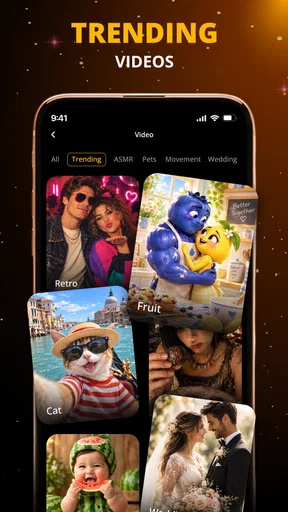
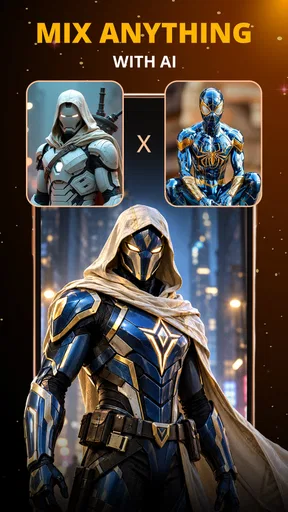
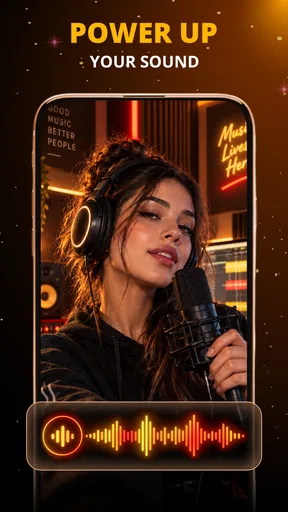
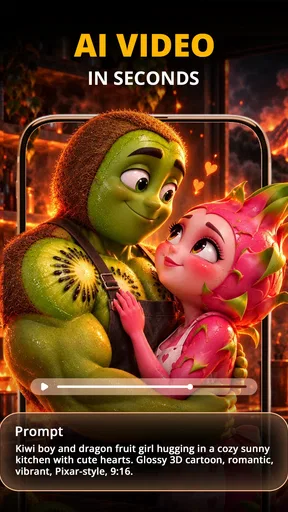
 Analysis by AppCompare
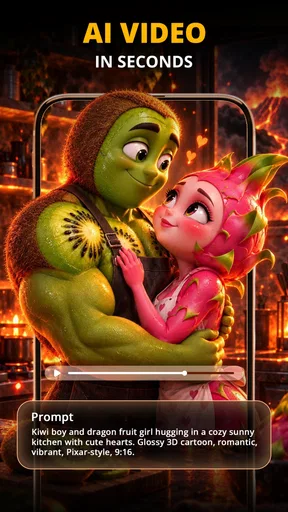
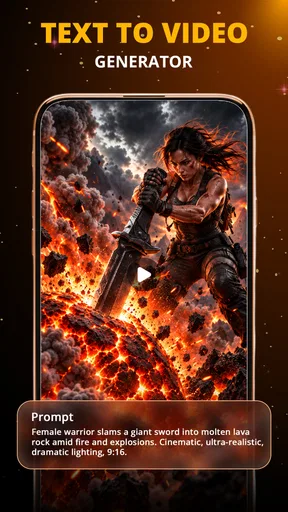
I tend to judge creative apps by what they let me do when I’m short on time, not just by how impressive a finished clip looks. AI Video Generator: 3D AI Mix is aimed at people who want to turn a prompt or an image into a stylized video without learning a full editing workflow. That makes it appealing for quick social posts, playful experiments, and visual ideas that are easier to describe than to animate by hand.
Making sense of the controls
As an art and design app from AI Tech Labs, it sits between a conventional editor and an AI image tool: the creative starting point is a text idea or image, while the goal is a moving result with a pronounced visual style. I’d approach it as a way to explore concepts, rather than as a replacement for a timeline editor where every cut, layer, and frame can be controlled precisely.
The interface is presented as approachable, which matters when the main task is already imaginative: deciding what to make. In practice, a clear sequence of choices is more useful than a screen crowded with technical settings. If you are new to AI video, begin with one simple idea and change only one part of the prompt at a time. That makes it easier to tell whether a different description or image is improving the result, instead of making several changes and guessing what caused the difference.
Readability, pace, and creative effort
AI creation can lower the amount of manual editing, but it does not remove the need to make choices. You still need to decide what the subject should be, which mood fits, and whether the output communicates the idea you had in mind. I find that distinction important for anyone hoping for a completely hands-off result: the app may help generate motion and style, but your judgement is what turns a novelty into a useful post.
For a small business owner, for example, a short visual announcing a new product could be a fast first draft. I would keep the request focused on one subject and one visual direction, then check the result carefully before sharing it. A dramatic effect can catch attention, but it can also distract from the information viewers actually need. If the clip must communicate exact wording, timing, or brand details, a regular editor gives you more direct control over those elements.
Different abilities and everyday settings
For someone who finds detailed timeline editing tiring, a prompt-led workflow can feel less demanding because it shifts effort toward describing an idea rather than repeatedly dragging small elements into place. That does not automatically make every part comfortable for every user: reading prompts, selecting images, and judging subtle visual differences still take attention and careful interaction. I would try a short project first and see whether the controls feel manageable on your own device and in your usual setup.
Sound and motion deserve particular thought. A video that looks lively on a large screen may be harder to follow on a small phone, in bright daylight, or in a noisy place. If you are making something for viewers who may watch without sound, make sure the visual itself carries the point rather than relying on music to explain the mood. For a quiet setting, consider whether an animated clip is actually more helpful than a still image; motion can attract attention, but it can also be distracting.
Worth Reading Before You Choose

Baby Panda World Brings Quick Play to Modern Phones, but Its Game Library Feels Busy

ESPN’s Live Game View Makes Following Close Games Easier

QuizzLand Review: A Good Fit for Short Trivia Breaks, Not Every Player

Basketball Stars: Multiplayer Is Fast, but Can It Recover When Matches Go Wrong?

WEBTOON Turns Phone Updates Into a Better Reading Routine

Link to Windows Runs on Shared Habits, Not Social Feeds
Who will get the most from it
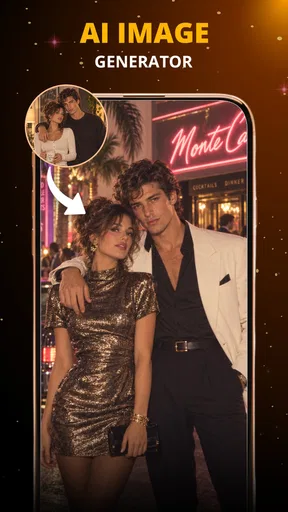
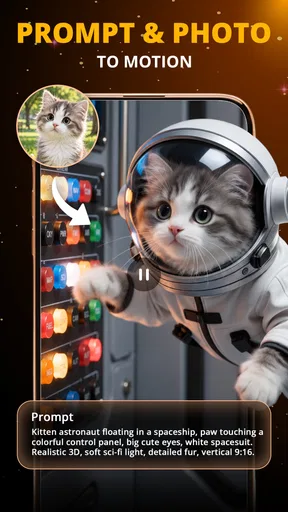
I can see this fitting casual creators who want to test visual concepts, people making informal social content, and beginners who would rather experiment with styles than learn a complex editing suite first. It may also be useful when you have a photo that feels static and want to explore how an AI-generated treatment could turn it into a short visual idea. The best results are likely to come when you treat each output as a draft to review, not a finished piece that never needs checking.
I would skip it if your work depends on frame-accurate cuts, detailed color grading, precise audio mixing, or a repeatable brand template. Those are jobs where conventional mobile editors or desktop software are usually a better fit. I would also think twice if you need a predictable result on the first attempt: generative tools can require experimentation, and the time spent refining an idea may outweigh the convenience for a very simple clip.
Getting Started with Ease
First off, installing AI Video Generator: 3D AI Mix is a breeze. Available for both Android and iOS, you just download, open it up, and you’re ready to roll. No lengthy registration processes or annoying ads right out of the gate. It’s as simple as that.
The user interface is sleek and intuitive. Even if you’re a newbie in the world of video editing, you’ll feel right at home. The app’s design is all about making your life easier, with everything you need just a tap away. You’ll find a handy toolbar that gives you access to all its features without cluttering your screen.
Features that Make You Say Wow
The real magic of this app lies in its features. Imagine being able to transform your ordinary video clips into 3D masterpieces with just a few taps. The app uses powerful AI technology to analyze your footage and apply 3D effects that bring your content to life. It’s like having a professional editor in your pocket!
One of my favorite features is the AI Mix option. This lets you combine different video styles and effects to create something truly unique. Want to mix a bit of sci-fi with some retro vibes? No problem. The AI Mix makes it possible, and the results are often surprisingly good.
Another standout feature is its extensive library of music and sound effects. Whether you’re going for a dramatic flair or something more lighthearted, you’ll find the perfect audio to match your video’s mood. The app seamlessly integrates these sounds into your project, adding that extra layer of professionalism.
Getting consistent, usable results
The creative trade-off I’d keep in mind is consistency. A bold effect can make a single clip memorable, yet a run of unrelated styles can make a feed or presentation feel scattered. If you are creating several posts for the same purpose, settle on a small set of visual cues—such as a recurring mood or subject—and use them as a prompt-writing guide. Treat that as a creative discipline rather than assuming the app will preserve a fixed look automatically.
A practical workflow is to prepare the source image or idea before opening the generator. Decide what viewers should notice first, remove unnecessary details from the prompt, and then compare the result with that goal. When a result feels wrong, change one variable: the subject description, the style, or the mood. This is more informative than rewriting everything at once, and it helps you learn which kinds of directions produce material you actually want to use.
There is also a useful distinction between “interesting” and “publishable.” AI effects can create a striking first impression, but a creator should still check whether the subject remains recognizable and whether the movement supports the message. For an informal birthday post, an unexpected look may be part of the fun. For a product announcement or a school presentation, clarity and accuracy matter more than visual surprise.
A realistic quick-creation routine
Imagine you have a photo from a weekend market and want a short post before the day is over. I would start by choosing the one detail that makes the photo worth sharing, then describe that subject and the mood in plain language. After generating a version, I’d watch it once with the sound on and once muted, because a clip that depends too much on its soundtrack may not work for people scrolling in a quiet place. If the image becomes too abstract, I’d simplify the style request rather than adding more effects.
That routine is especially useful when working on a phone between other tasks. It gives the project a clear stopping point: if the result communicates the moment and looks intentional, it is ready for a casual post; if it needs exact pacing or a polished title, move it into a more controllable editor. The app is most convincing as an idea-to-first-draft tool, not as a promise that every creative job can be finished in one place.
Costs, expectations, and choosing an alternative
The app is free to install, with optional in-app purchases ranging from $4.99 to $36.99 per item. I’d explore the free experience before paying, especially if you are still learning whether AI-generated video suits your style. A purchase only makes sense if the specific paid option solves a recurring need for you; don’t spend just because a dramatic sample makes the whole workflow look effortless.
Its 3.9 average from around 4,400 ratings suggests a mixed rather than unanimous reception, while over 1 million installs show that many people have tried it. It is rated for everyone, runs on Android 7.0 or later, and version 1.3.0 is the current release. The app was released on March 1, 2026, so I’d still judge it by how well its present tools fit your task, rather than assuming a long-established editing ecosystem.
Compared with a standard mobile video editor, this app puts more emphasis on generated style and less on meticulous construction. Compared with an AI image generator, its appeal is the move toward video rather than a single still. Those differences make the choice fairly simple: pick this when you want to explore animated, stylized concepts; choose a traditional editor when you already know exactly how the finished sequence should look.
Performance and Usability
Now, let’s talk about performance. The app runs smoothly on most devices, which is crucial for any video editing tool. I didn’t experience any lag or crashes, even when working on high-resolution videos. The rendering speed is impressive too, with most projects ready to share in a matter of minutes.
The usability factor is high, thanks to its simple drag-and-drop functionality. This makes it easy to rearrange clips, add transitions, and tweak effects until you’re satisfied with the final product. The app even offers tutorials and tips if you ever get stuck, ensuring you’re never left in the dark.
Sharing Your Creations
Once you’ve crafted your masterpiece, sharing it with the world is a breeze. The app offers direct sharing options to all major social media platforms, including Instagram, TikTok, and YouTube. You can also save your creations in different formats and resolutions, depending on your needs.
For those who love showing off their creativity, the app includes a community feature where you can share your work and get feedback from other users. It’s a great way to improve your skills and get inspired by what others are doing.
Final Thoughts
In the world of video editing apps, AI Video Generator: 3D AI Mix is a game-changer. It combines powerful AI technology with user-friendly features to help you create stunning 3D videos without breaking a sweat. Whether you’re a seasoned editor or a complete beginner, this app makes video creation accessible and fun.
So, if you’re looking to add some flair to your videos or just want to experiment with 3D effects, give this app a try. You might just find yourself hooked on the endless possibilities it offers.
Pros
- Intuitive interface enhances user experience.
- Offers a wide range of 3D effects.
- Fast processing even on older devices.
- Regular updates with new features.
- High-quality output videos.
Cons
- Limited customization for advanced users.
- Occasional bugs during rendering.
- Requires strong internet for cloud features.
- Subscription model may be expensive.
- Some features are locked behind paywall.
FAQs for AI Video Generator: 3D AI Mix
What is AI Video Generator: 3D AI Mix?
AI Video Generator: 3D AI Mix is an innovative app that allows users to create stunning 3D videos using artificial intelligence. It offers a wide range of features, including customizable templates, AI-driven effects, and easy-to-use editing tools. This app is designed for both beginners and experienced creators who want to produce high-quality video content quickly.
Is AI Video Generator: 3D AI Mix free to use?
The app offers a free version with basic features, allowing users to explore its capabilities without any cost. However, for access to premium features and additional content, a subscription or one-time purchase may be required. Users should review the pricing details within the app to understand the full cost structure.
What devices are compatible with AI Video Generator: 3D AI Mix?
AI Video Generator: 3D AI Mix is available for both Android and iOS platforms. Users should ensure their devices meet the app's minimum system requirements for optimal performance. Typically, a moderately recent smartphone or tablet with up-to-date operating systems will be suitable for running the app.
Can I share my videos directly from AI Video Generator: 3D AI Mix?
Yes, the app provides seamless sharing options. Once you've created your video, you can share it directly to popular social media platforms, such as Instagram, Facebook, and TikTok. Additionally, you can save videos to your device’s gallery for future use or offline sharing.
Does AI Video Generator: 3D AI Mix require an internet connection?
An internet connection is necessary for downloading the app and accessing cloud-based features, such as certain AI effects and templates. However, some basic editing can be done offline. Users should check specific feature requirements, as accessing premium content and updates generally requires being online.


